Online installation in a production environment
This section explains how to install 丰盘ECM with internet access in a production environment on a corporate intranet.
丰盘ECM is built on Docker. We recommend deploying it to a Docker environment on Linux, which can be a physical server, a virtual machine created on a virtualization platform such as Vmware / HyperV / KVM / Virtualbox, or a cloud instance from Alibaba Cloud, Tencent Cloud, Huawei Cloud, and similar providers.
Building a demo environment for evaluation
If you have no Linux host at hand, or your servers run a customized domestic operating system, use a complex network configuration, or sit behind traffic inspection devices on the intranet, we recommend renting a pay-as-you-go cloud instance from a public cloud to deploy a 丰盘ECM demo environment. Renting usually costs no more than 1 yuan per hour. See Buy a cloud instance on Alibaba Cloud, Tencent Cloud, or another public cloud and build a 丰盘 demo environment in 5 minutes.
Step 1: Prepare the server and Linux system
Hardware requirements
- A mainstream x86_64 CPU. A dual-core configuration is recommended.
- At least 8 GB of system memory, 16 GB or more recommended (memory directly affects how fast the system processes tasks).
- At least 5 Mb/s of network bandwidth, 20 Mb/s recommended (bandwidth directly affects file upload and download speed).
- At least 20 GB of disk storage, 200 GB recommended (you can expand or migrate data later).
Minimum and recommended Linux versions
- Ubuntu 22.04 or later. Ubuntu 24.04 LTS (long-term support) is recommended.
- Debian 11 or later. Debian 13 (the current stable release) is recommended.
- CentOS 7 or later. CentOS 7.9 is recommended (no longer maintained by the vendor, but still widely used in China).
- RHEL 7 or later.
Download installation images from a China-based mirror
If downloading an installation image from the official site is slow, use the University of Science and Technology of China (USTC) open-source mirror (https://mirrors.ustc.edu.cn/). Open the addresses below in a browser and click the .iso file listed on the page; no registration or sign-in is required:
- Ubuntu 24.04 (recommended): https://mirrors.ustc.edu.cn/ubuntu-releases/24.04/. Choose the file ending in
-live-server-amd64.iso, which is the server installer. - Debian 13 (recommended): https://mirrors.ustc.edu.cn/debian-cd/current/amd64/iso-dvd/. Download the file ending in
-amd64-DVD-1.iso.
Warning
CentOS 7 LTS reached end of life on 2024-06-30. The official yum repositories are retired as well, so system administrators can no longer install any software from them, Docker included. If your organization still runs CentOS, configure the system as described in Configure China-based yum mirrors after CentOS end of life. Otherwise, every attempt to install Docker or other software in the steps below will fail.
Step 2: Apply for a corporate license
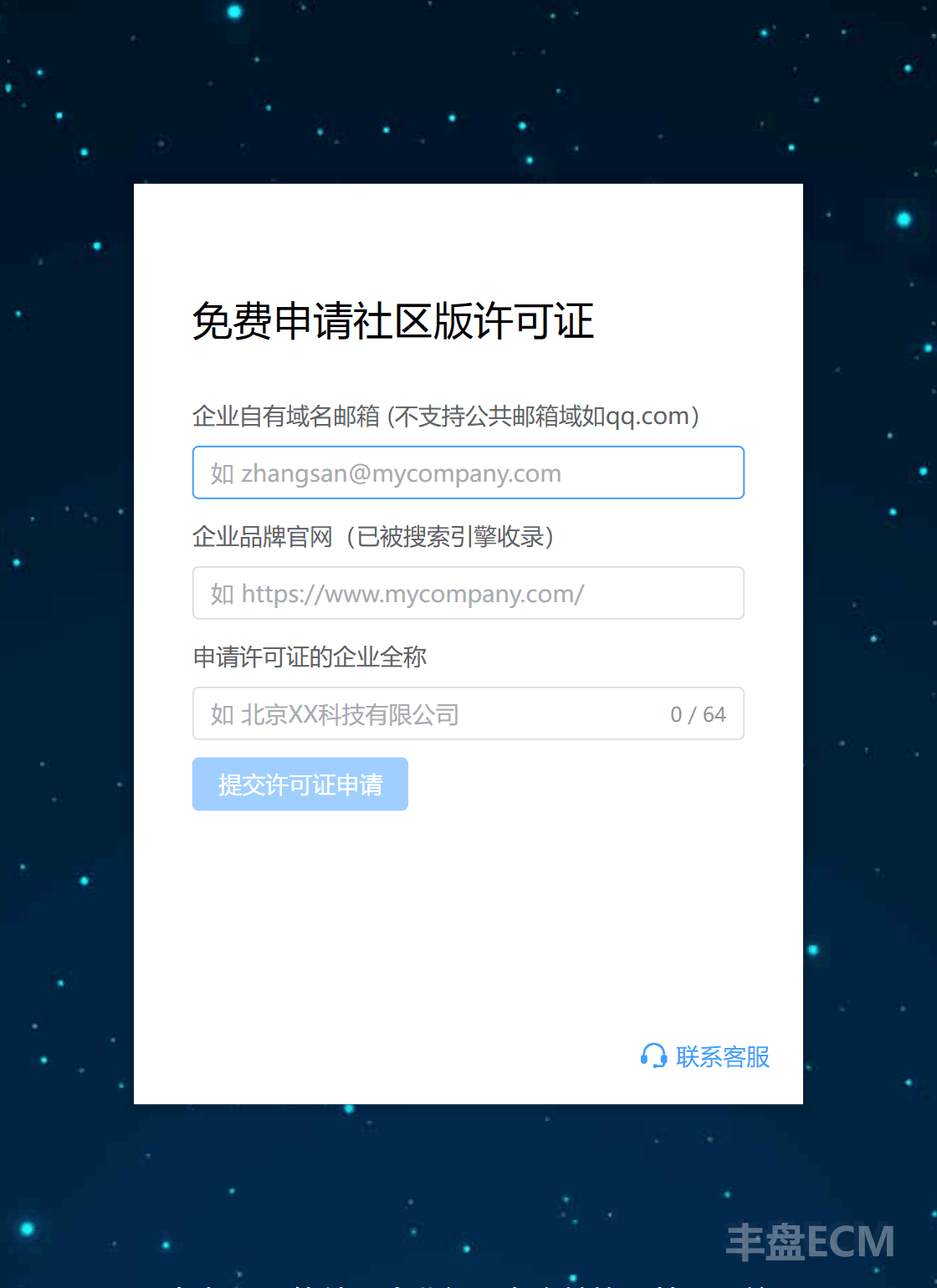
Go to the 丰盘 Community Edition license application site and sign up with your corporate email address to apply for a Community Edition license. 丰盘ECM also offers a paid Premium Edition. See the official pricing plans, or sign in to the service portal to request a 14-day Premium Edition trial.
Warning
丰盘 products are open to business customers only. We use corporate email accounts to simplify business verification, so public domains such as 163.com / qq.com / gmail.com are not supported. If your organization has no corporate email on its own domain, contact us to learn about manual verification options.
Step 3: Download and run the installation script, then activate the system
Download the installation script to the current directory with the command below. Replace the license parameter in the URL (sample value XXXXXYYYYY) with the license key you received.
# Download the script with curl
# If this command fails with "command not found", use the wget command below instead
curl -fsSL -o xpan-install.sh "https://ota.ekbcloud.com/api/v1/ota/scriptfile?name=xpan-install&license=XXXXXYYYYY"

# Note that the second parameter is an uppercase letter O
wget -q -O xpan-install.sh "https://ota.ekbcloud.com/api/v1/ota/scriptfile?name=xpan-install&license=XXXXXYYYYY"Choose a mirror acceleration node based on the region where your server runs. The script includes three nodes: Alibaba Cloud East China, Tencent Cloud South China, and Huawei Cloud North China. All three command groups below do exactly the same thing. Copy and run the group closest to your server location; you do not need to add or change any parameter.
sh xpan-install.shsh xpan-install.sh --mirror tencentsh xpan-install.sh --mirror huawei丰盘ECM is installed with Docker container technology, so no software needs to be preinstalled on the operating system. The script detects whether a Docker environment exists and installs one automatically if it does not. If Docker is already installed on your host, make sure the Docker version is later than 18.06; v20 or later is recommended. An older version may have permission incompatibilities with the official PostgreSQL and MySQL community database images, which can cause runtime errors.
Warning
If your operating system is very new, or you use another distribution such as a domestic Xinchuang build, AlmaLinux, OpenEuler, Kylin, or Deepin, our automated script may not yet support automatic Docker installation on it. Install Docker yourself using the method recommended by Docker or the distribution community, then run our installation script.
Access to the official Docker registry (https://hub.docker.com/) can be unstable from networks in China. That is why the installation script includes the three regional mirror acceleration nodes above. In most Chinese cities, the Alibaba Cloud East China node tests at acceptable speed. If installation reports "Network error", "Timeout", or "timed out", the link between the node and your server is usually fluctuating. Run the same command again. If several retries still fail, switch to the command for another region.
The script has built-in retry logic. If repeated retries still fail, contact our on-call support.
After you run the script, the 丰盘 installer asks for the port and HTTPS settings. To accept the defaults, press Enter at each prompt.

Once you confirm these settings, the system switches to automated installation. The installer pulls the latest stable image files and configures the container parameters automatically.
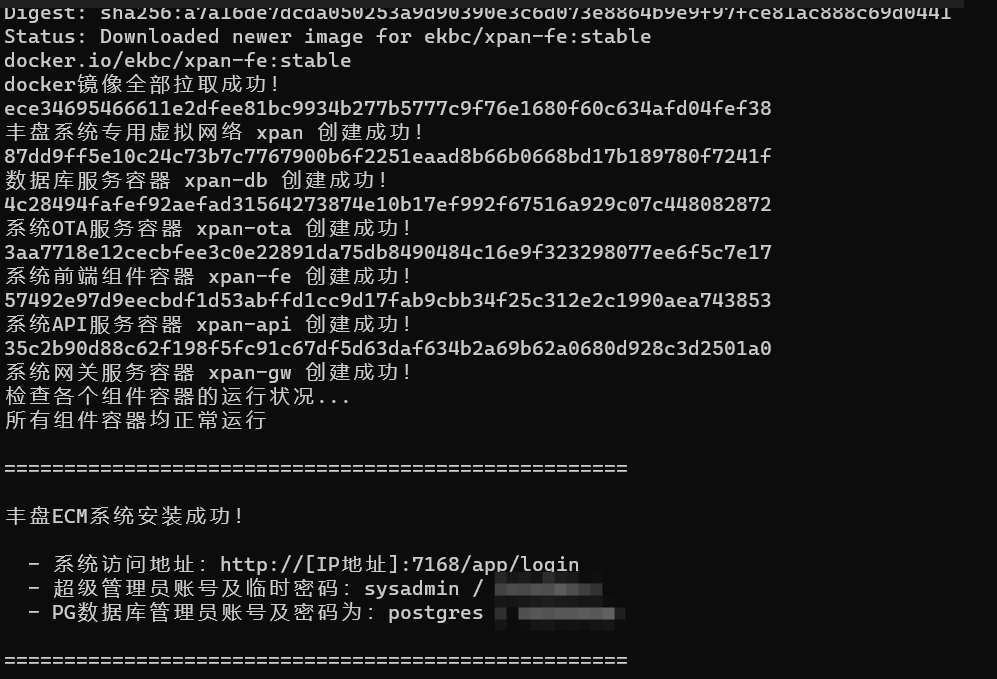
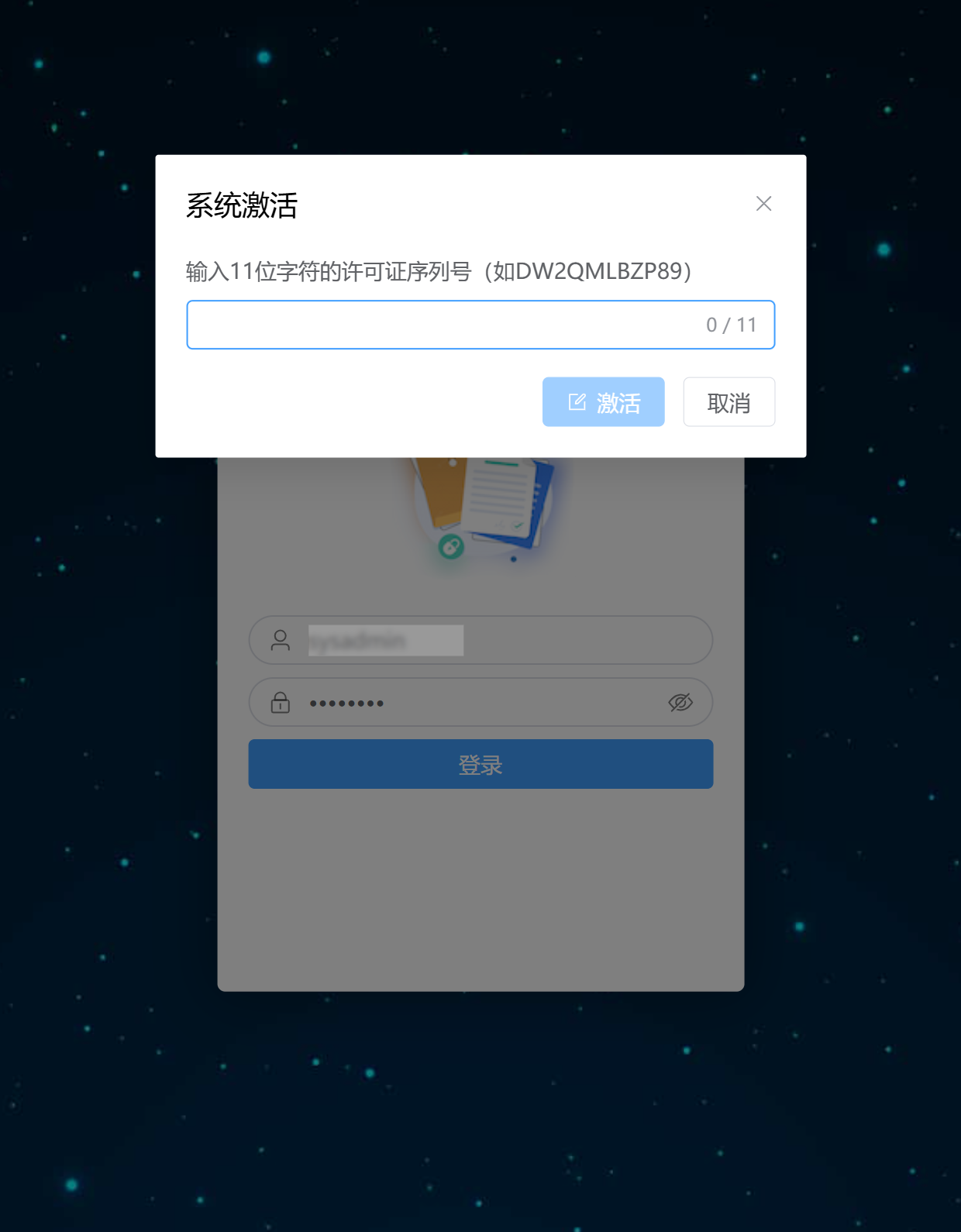
When installation finishes, the system prints the administrator password of the PostgreSQL database that 丰盘ECM uses, for later troubleshooting or manual maintenance. The terminal also shows the administrator account and initial password for signing in to the 丰盘ECM web interface. Sign in to the system by IP address, reset the administrator password as required, then enter your license to activate the system.
FAQ
If you run into problems during installation, check the FAQ list below first, or use the "Contact Us" entry at the top of this site to reach us.
- What should I do if the installation fails with an error partway through?
- What should I do if the serial number is already bound or the system reports an error during activation?
- What should I do if Docker images download slowly or fail in China?
- How do I configure HTTPS access for the corporate domain?
- How do I integrate OnlyOffice for online preview of office documents?