Enable HTTPS access with your own certificate
If you accepted the default option to enable HTTPS in the 丰盘ECM installation script, the 丰盘 system listens for encrypted traffic on the default HTTPS port 443. It also binds a built-in test certificate so administrators can diagnose HTTPS connectivity.
You can visit the temporary domain https://xpan.local (after temporarily editing the hosts file on the user's computer). If the browser warns that the certificate is not secure, the initial HTTPS configuration is correct.
# On a Windows workstation, edit the file C:\Windows\System32\drivers\etc\hosts
# On a macOS or Linux workstation, run sudo vi /etc/hosts
# The record below is a sample. Replace the IP with the intranet IP of the deployment server:
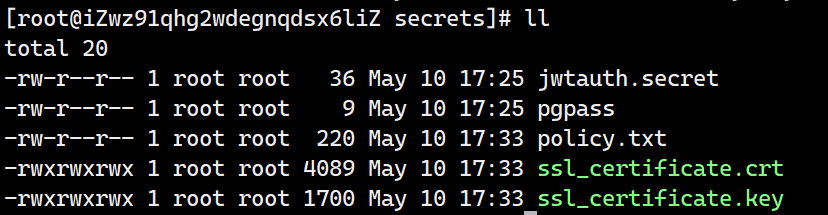
192.168.66.188 xpan.localEvery SSL certificate is bound to a specific domain and cannot be reused. To serve the 丰盘 system at your company domain, such as https://mycompany.com/, first obtain a TLS certificate for mycompany.com. Then sign in to the server that hosts the 丰盘 system and replace ssl_certificate.crt and ssl_certificate.key in /opt/xpan/data/secrets/ with your company's HTTPS certificate files. The file names must not be changed. Finally, run docker restart xpan-gw to restart the 丰盘 gateway. The system is then reachable at your organization's HTTPS domain.