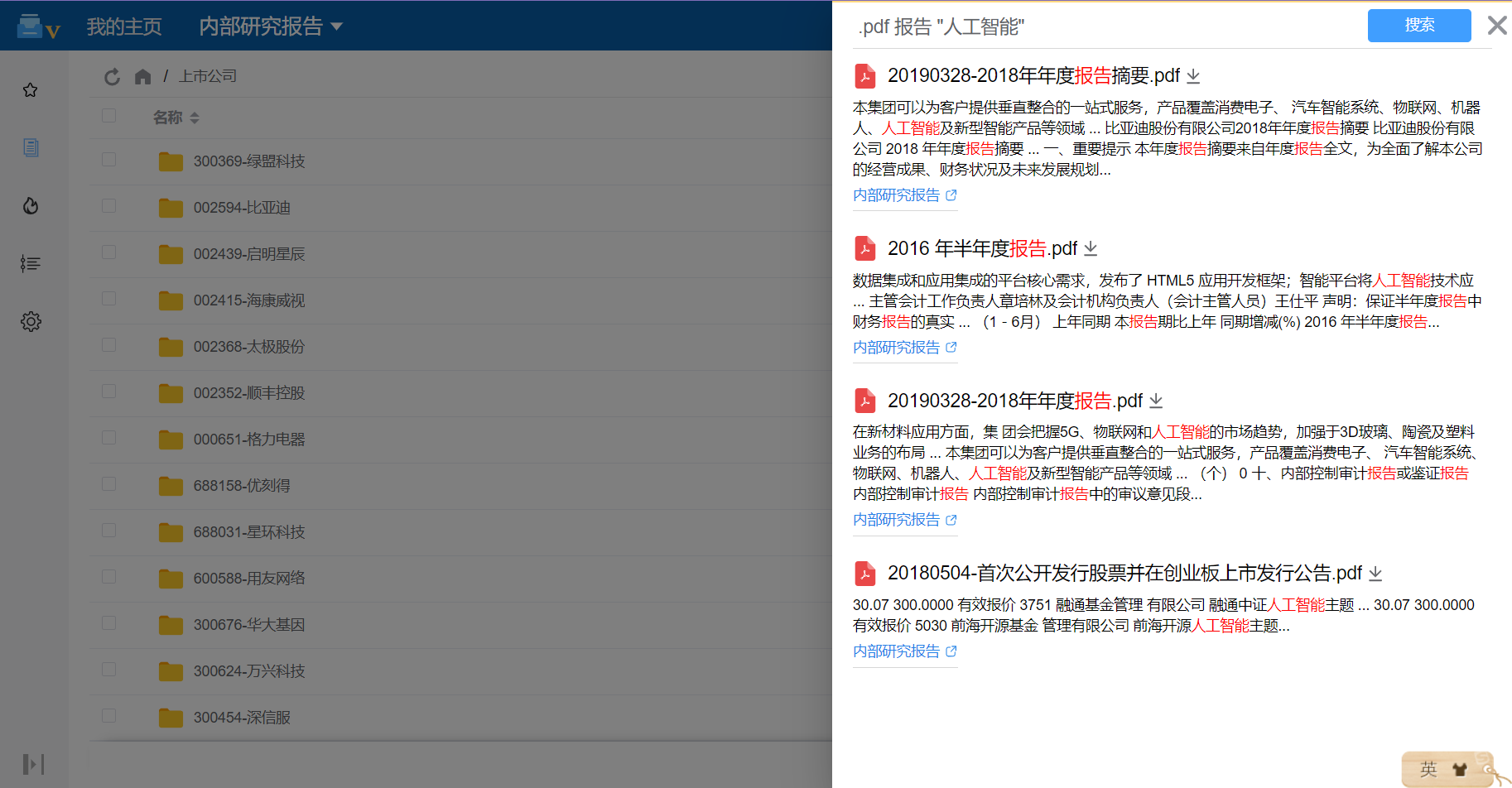
Full-text search plugin: smart search inside document text
Premium Edition license required
This feature is an optional plugin in the Premium Edition. Sign in to the 丰盘 service portal to confirm that you have a Premium Edition license and that the license includes this plugin. If you are interested or have questions, contact us or ask your account manager.
Many users without a technical background have never heard the term full-text search. Yet it is one of the core technologies behind the search engines people use every day, such as Baidu, Google, Bing, and 360.
Full-text search technology
Full-text search is a technique for retrieving information from very large amounts of text efficiently. It builds an inverted index that maps keywords to the documents and positions where they occur. When a user searches for a keyword, the system looks it up in the index, finds the matching text and its locations, and returns them. Search engines, document management systems, and e-commerce sites all rely on it to help users find the information they need quickly.
The 丰盘ECM Community Edition searches file names and folder names. The Premium Edition extracts and indexes document content, and already parses and searches several dozen file types, including Word, PowerPoint, Excel, and PDF. Security is built in: 丰盘ECM has a strong permission system that integrates with the full-text search engine. Once the engine is enabled, the permission module is embedded in it. After the API finds highly relevant matches, it checks in real time whether the user may access each document, and any document the user cannot preview or download stays out of the results. Document security is protected to the greatest extent possible.
Product screenshots