Configure Microsoft AD or LDAP authentication
What is LDAP
The Lightweight Directory Access Protocol (LDAP) is an old but still popular software protocol. It lets users access, search, and modify public directory resources over the internet. A directory can store any information or resource metadata, including user names and password authentication data.
OpenLDAP is one of the most popular open-source implementations of LDAP. The Microsoft Windows domain controller (Windows Active Directory, hereinafter AD) is a more powerful cluster management tool that Microsoft built on top of LDAP, and it also supports the standard LDAP interface. With a Windows domain controller, enterprise IT administrators can easily manage all employee computers, server hosts, and network devices in bulk, for example by managing user accounts centrally, defining security policies and firewall rules, and preinstalling software. The most frequent use, of course, is domain authentication. Each internal IT system only needs to integrate with the Windows domain controller once, and then one set of credentials provides single sign-on across all internal systems.
丰盘ECM can integrate with AD, OpenLDAP (github.com), or other LDAP-compatible services. After the integration, users no longer need to remember a new password and sign in to 丰盘ECM with the company's unified credentials.

How to integrate WinAD/LDAP authentication
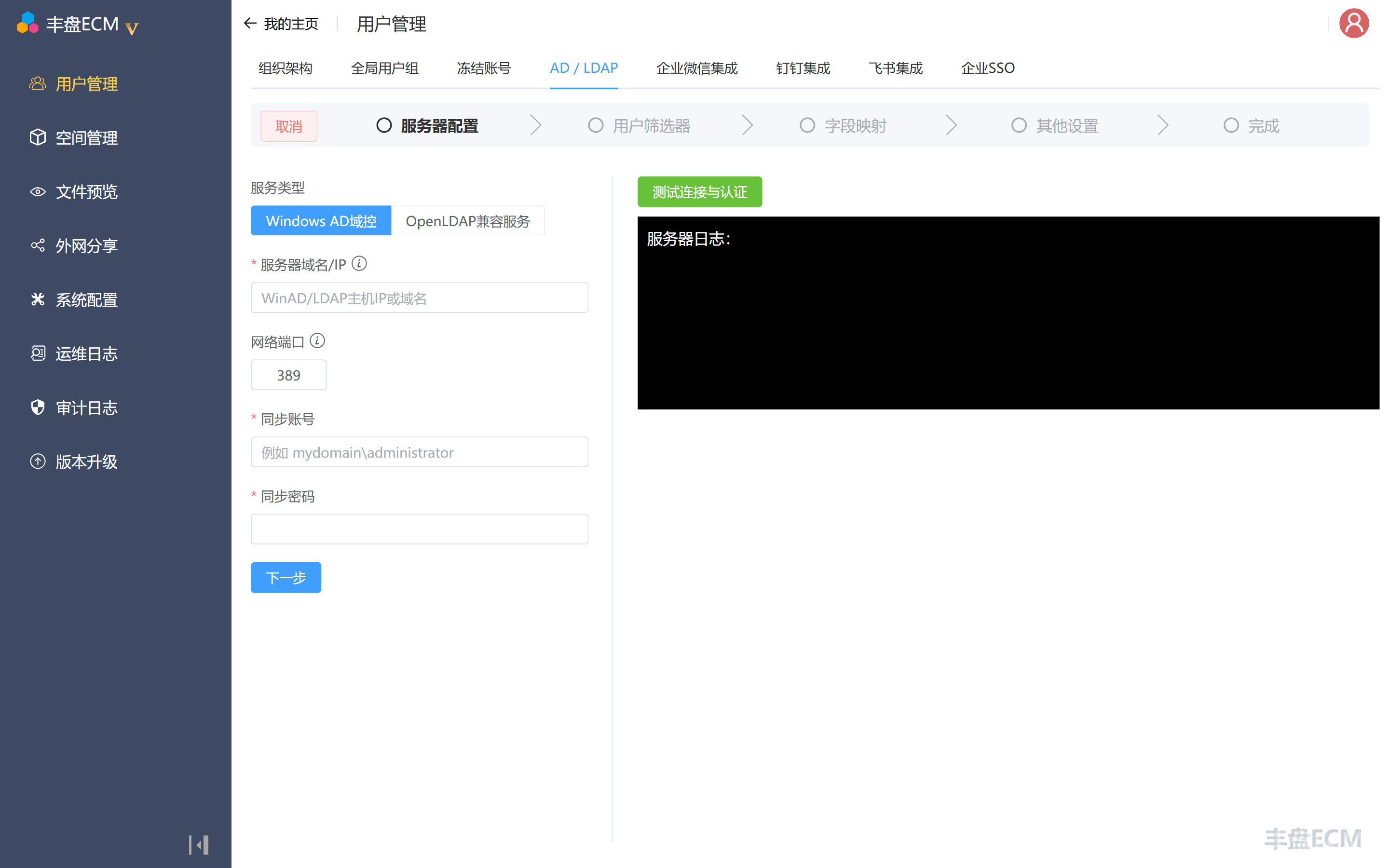
Sign in with the super administrator account sysadmin, open the avatar menu in the top-right corner, and choose "System Management" to enter the admin console. Then click "User Management" in the left menu and switch to the "AD / LDAP" tab.
On the AD/LDAP tab, a super administrator can configure integration with AD or an OpenLDAP-compatible service. This synchronizes users to 丰盘ECM instead of creating each account by hand, and it also enables external authentication: users sign in with their existing company password and never maintain or remember a new one.