Change the system HTTP port from 80
The port number is chosen during installation. Can you change the port configuration later, and must you reinstall the system?
The web port can be changed at any time after installation, with no reinstall needed. Use xpc, the built-in operations tool script, to reconfigure the port and to enable or disable HTTPS. Run the following command to reopen the same port configuration screen you saw during the first installation:
sudo /opt/xpan/tools/xpc.sh config portReconfigure the port by following the prompts in the tool.
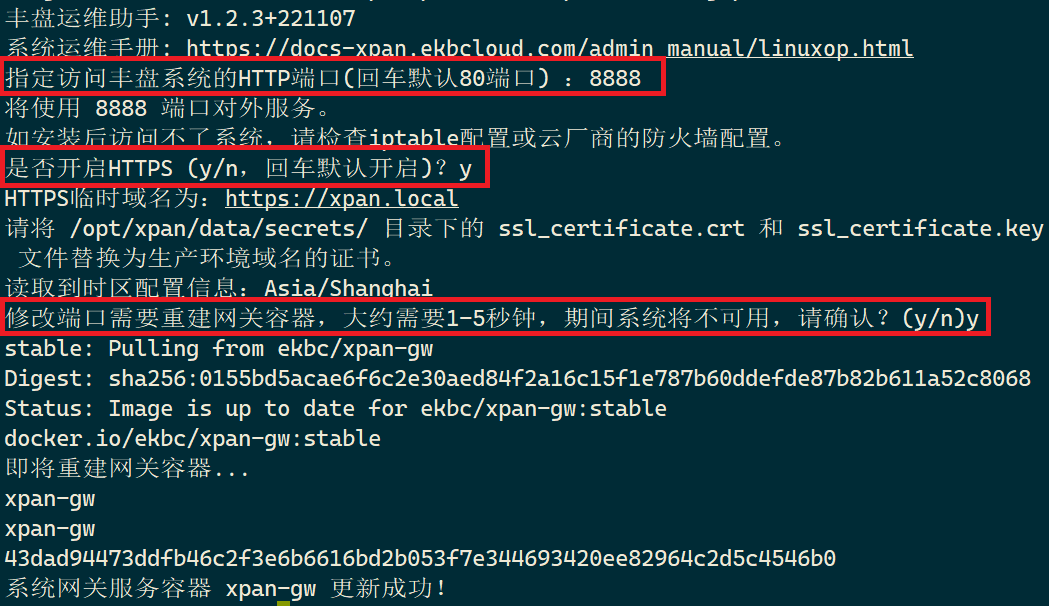
Downtime warning
A port change takes effect only after the related 丰盘 containers restart (the script asks you to confirm). Expect a few seconds of unavailability, so plan the change properly.
xpc.sh is the built-in operations tool of the 丰盘 system. It simplifies common maintenance tasks for enterprise IT administrators. For more features, see CLI tool.