Integrate Elasticsearch for full-text search
丰盘ECM can integrate with, or connect to, an existing Elasticsearch deployment to enable full-text search (a Premium Edition feature).
Sign in to the server where 丰盘ECM is installed and run the following command to download and install Elasticsearch locally:
sudo /opt/xpan/tools/xpc.sh add elasticMinimum hardware for Elasticsearch
To integrate Elasticsearch on the local host and keep it stable, provide at least 4 GB of dedicated memory. Larger document volumes and higher search frequency consume more memory, so tune resources over time based on monitoring metrics.
Sign in to the web-based admin back end with the sysadmin account, enable Elasticsearch local integration as shown below, and save.
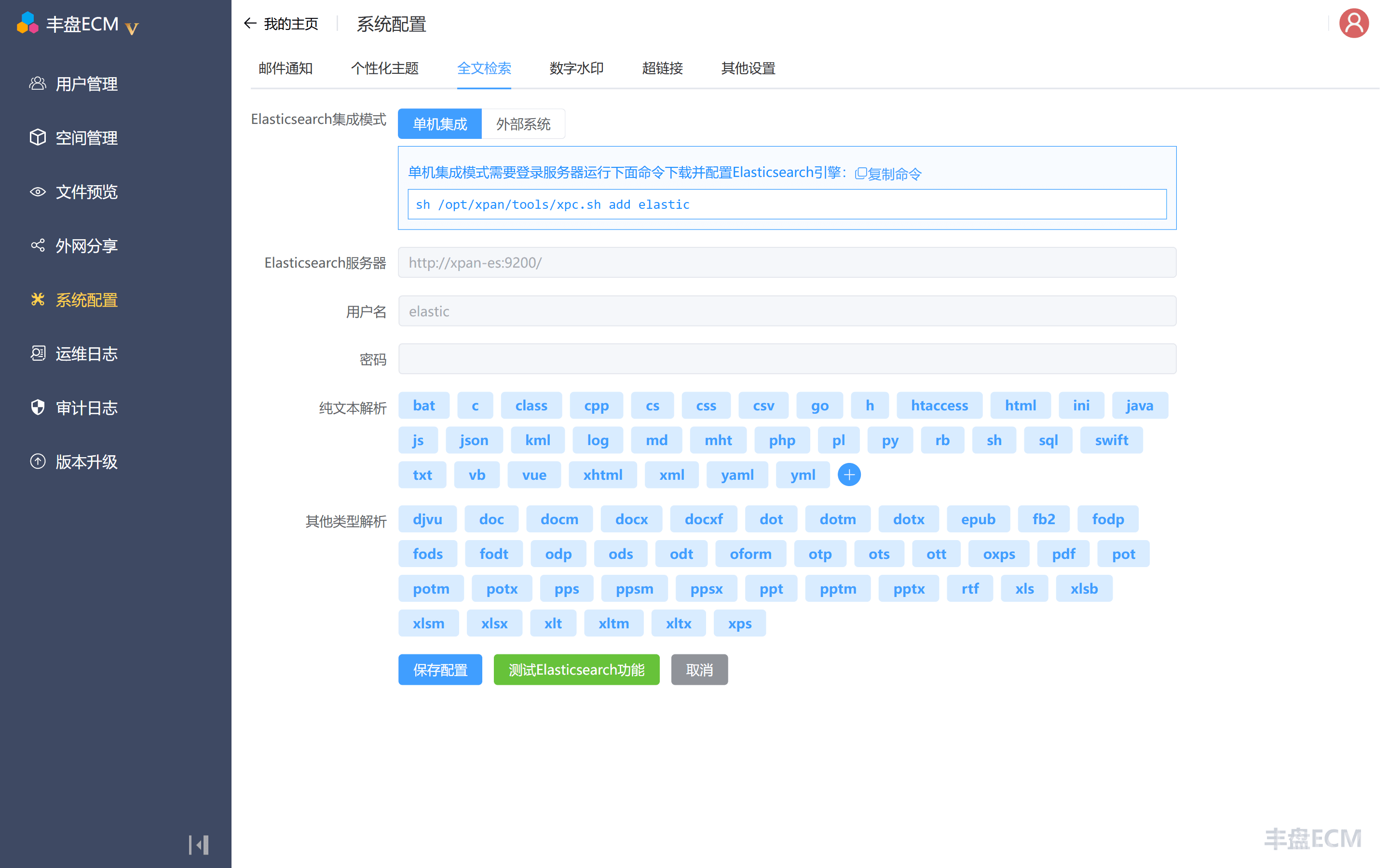
Elasticsearch starts slowly. It usually takes 30 seconds to 1 minute before it serves requests. Use the test feature on the settings page to check whether the service is ready.
Elasticsearch local integration and external connection
丰盘 supports two modes: integrating the Elasticsearch component and connecting to an external Elasticsearch instance.
Local integration installs Elasticsearch on the 丰盘 host, inside a closed network. It consumes the resources of the 丰盘 system itself, so the host needs a reasonably good configuration. In return, you skip the Elasticsearch installation and configuration work, and because everything runs in the same closed network, security is higher. This is the recommended first choice.
Connecting to a separately deployed Elasticsearch system gives it dedicated host resources, allows finer Elasticsearch configuration, and lets you share the same instance with other IT systems that support Elasticsearch.