Admin Console
丰盘 includes a built-in super administrator account named sysadmin (called administrator below). After installation, the terminal shows an initial temporary password. Change it to another strong password at first sign-in and keep it safe. After the administrator signs in, open the drop-down menu in the top-right corner and click "System Management" to enter Admin Console.
The interface is laid out as follows:
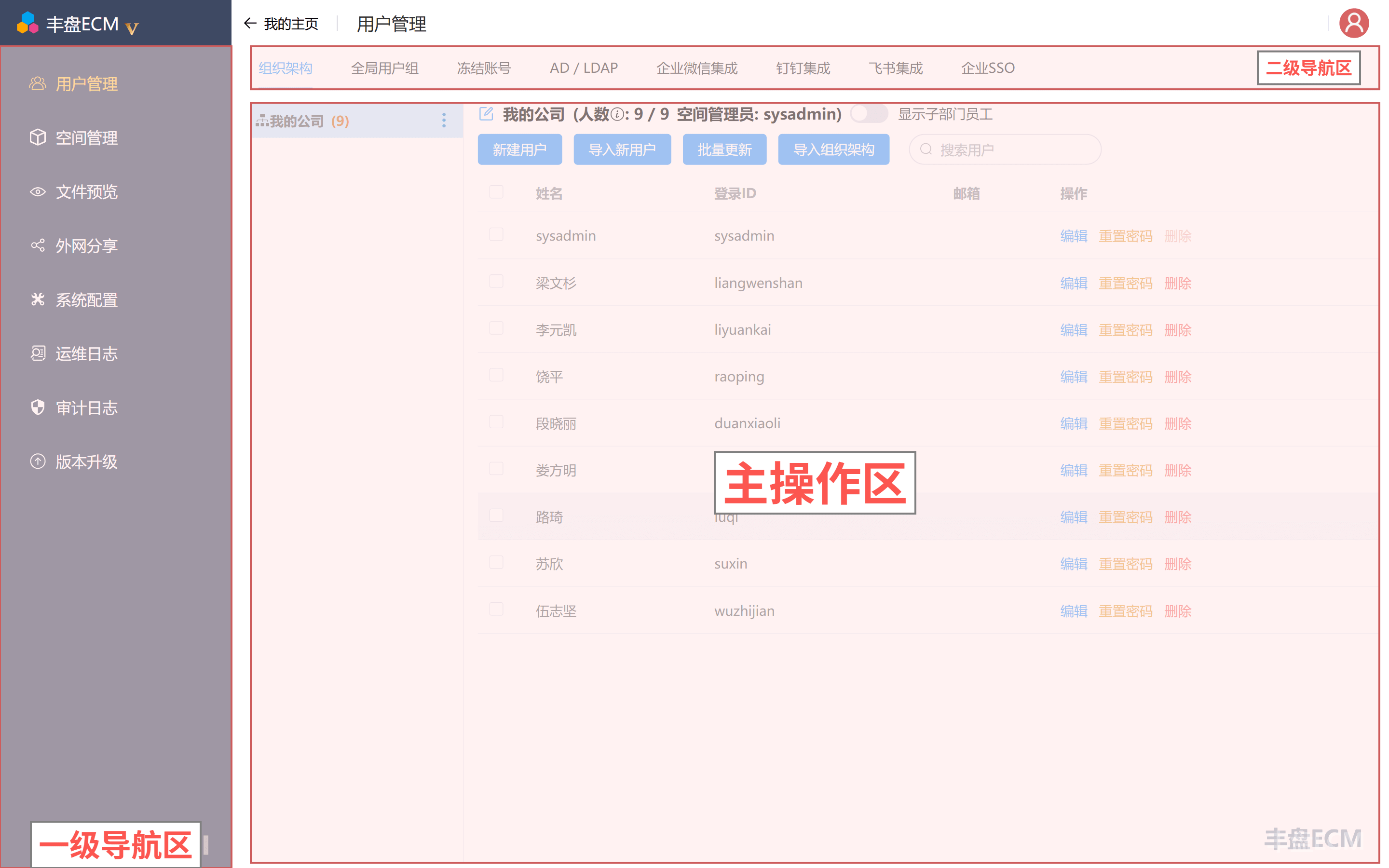
"Admin Console" is the back-end subsystem where the super administrator maintains global settings for the entire system. Only the super administrator can access and use it; regular users cannot view or use its features.
In Admin Console you can:
- Manage user accounts, including creating and deleting accounts, domain or LDAP authentication, and freezing accounts.
- Manage all document spaces, including permanently deleting spaces and setting storage quotas.
- Configure online preview services and OnlyOffice integration
- Configure digital watermark protection
- Configure full-text search engine integration
- Configure the system theme and brand logo
- Review system audit logs
- View version information and upgrade to a new release
- ...